comments with
main character energy.
Headings, lists, inline code, checkboxes, and questions — inside legal source comments. Quick mode: -- + Space makes a note, # + Space makes a heading.
VS CODE EXTENSION / V6 IS HERE
Write notes where you write code.
Type -- + Space for a note, # + Space for a heading, or change those triggers in Settings.
Same source file. Way less brain fog.
free & open source · no account · local-first

-- Space03 actually remember ityour future self says thanks ↗
DOWNLOAD HERE 👇 / ONE CLICK
Direct install for VS Code 1.90+. No account, no marketplace wait, no drama.
01 / THE GLOW-UP
Your notes are in one tab. Your code is in another. Your understanding? Missing in action. Keep the explanation right next to the code.
Leave the note. The syntax gets out of your way.
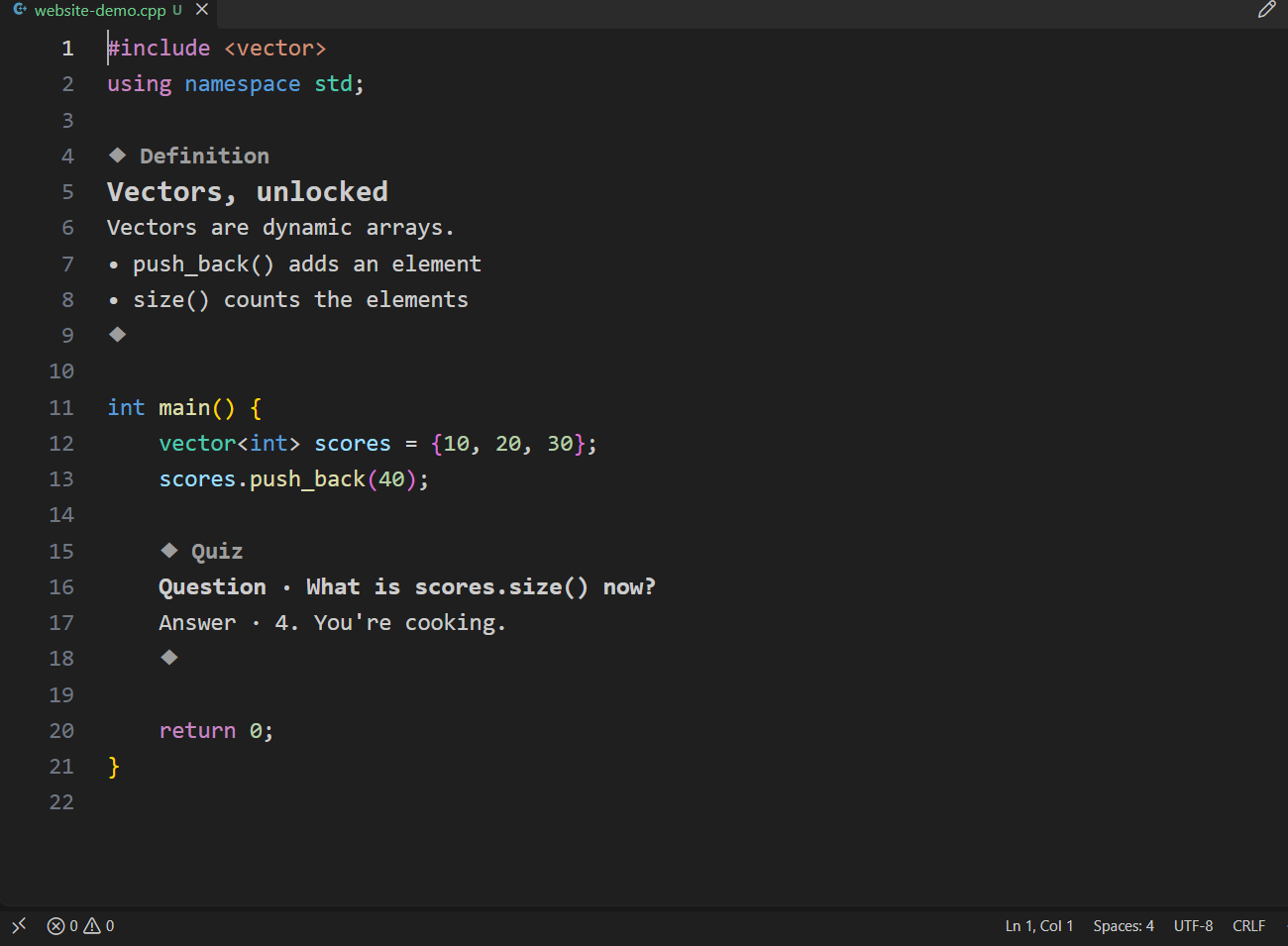
same file. same lines. zero format drama.Real VS Code captures of the same sample. Click into a note to edit the original comment. V6 preserves its physical line count.
02 / THE GOOD STUFF
Headings, lists, inline code, checkboxes, and questions — inside legal source comments. Quick mode: -- + Space makes a note, # + Space makes a heading.
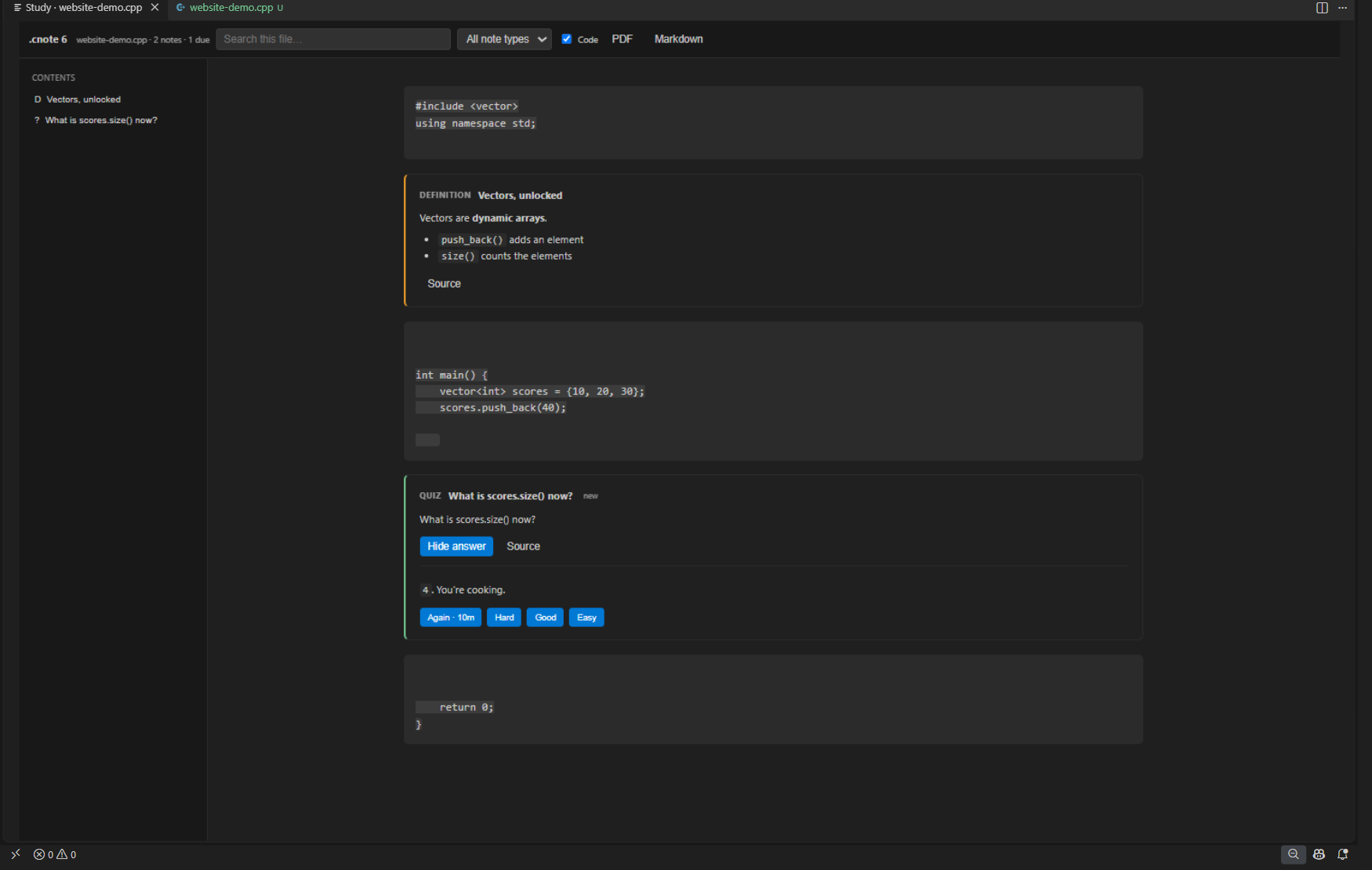
Notebook turns the file into editable study cells with per-cell Run, Debug, and inline output.
open notebook ↗Search notes across your workspace, filter by tags, review due quizzes, and export your notebook.
Export file or workspace notes as Markdown. Turn your Notebook view into a PDF for revision away from the editor.
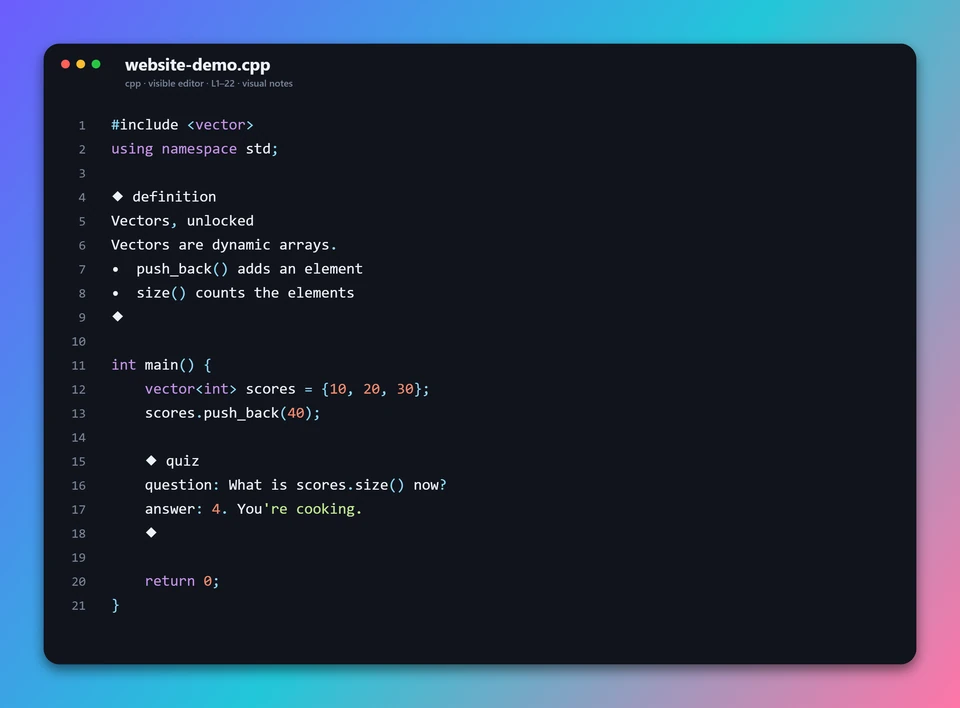
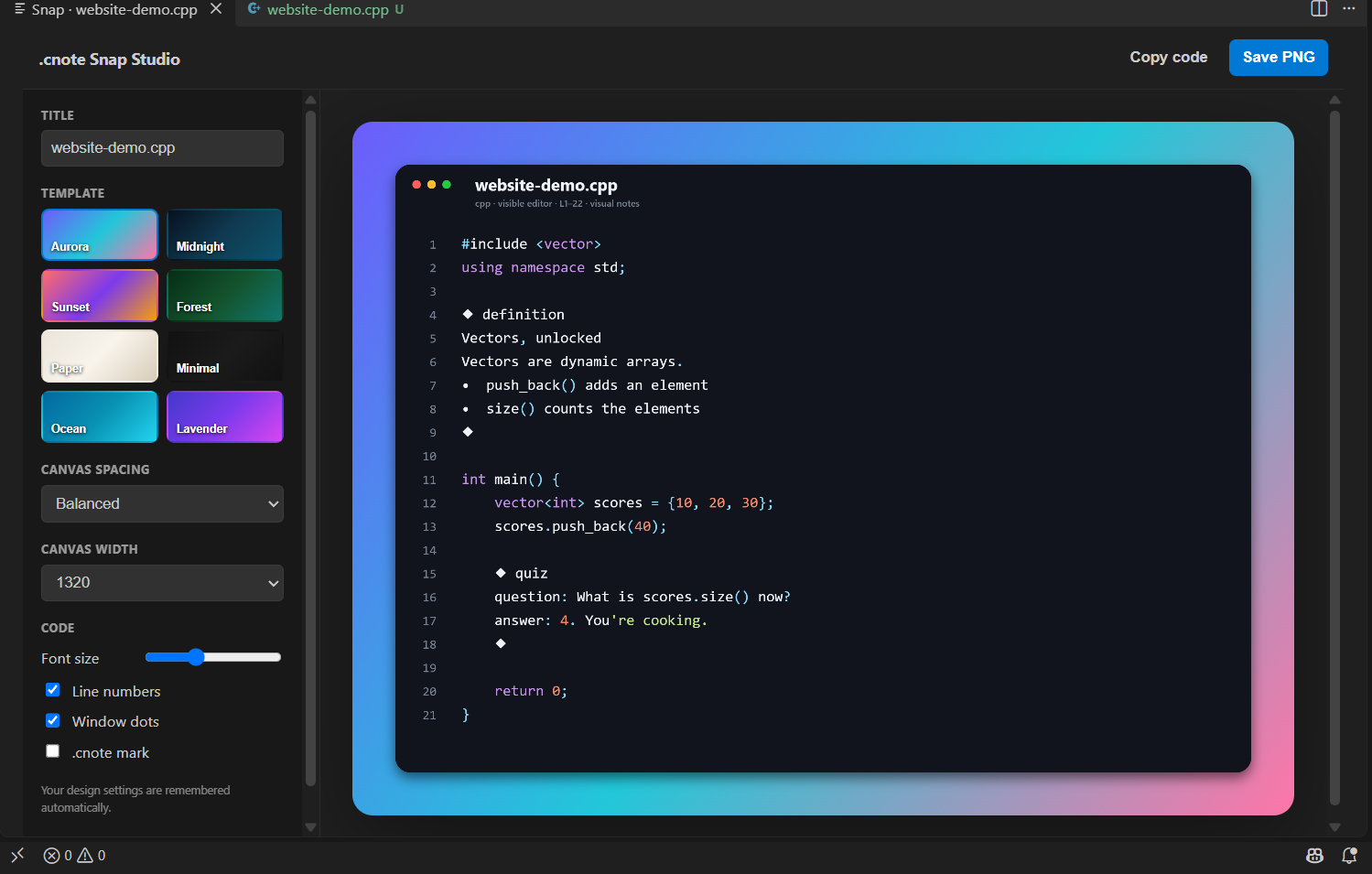
Snap Studio makes PNGs from your selection or visible editor. The preview keeps your configured image size and scrolls sideways instead of crushing the card.
get the shot 📸 ↗03 / PICK YOUR FLAVOUR
Eleven note types plus one-line inserts.
Type -- + Space for a note or # + Space for a heading. Safe on C/C++ because plain #include is left alone.
/* @definition
# Vectors
Vectors are **dynamic arrays**.
- `push_back()` adds an element
- `size()` counts the elements
*/Vectors are dynamic arrays.
push_back() adds an elementsize() counts the elements-- + Space · # + Spacefast one-line note and heading triggers**bold** · *italic* · `inline code`emphasis and code in Notebook; clean text inline- bullet · - [ ] todo · - [x] donelists and checkboxes> remember thisblockquotes for the important bitsquestion: What is size()?a prompt for active recallanswer: Number of elementsan answer to reveal in Notebook04 / ACADEMIC COMEBACK ARC
Open a Jupyter-style reading view of your actual source. Edit in draft mode, run code with output under the cell, and write changes back only when you choose.
Ctrl + Shift + F7
Cells are draft-only by default. Switch to Write to source when you want the file updated.
Code output appears under the cell instead of stealing focus with the terminal.
Change the note and heading triggers in Settings if -- or # are not your style.
05 / SCREENSHOT WORTHY
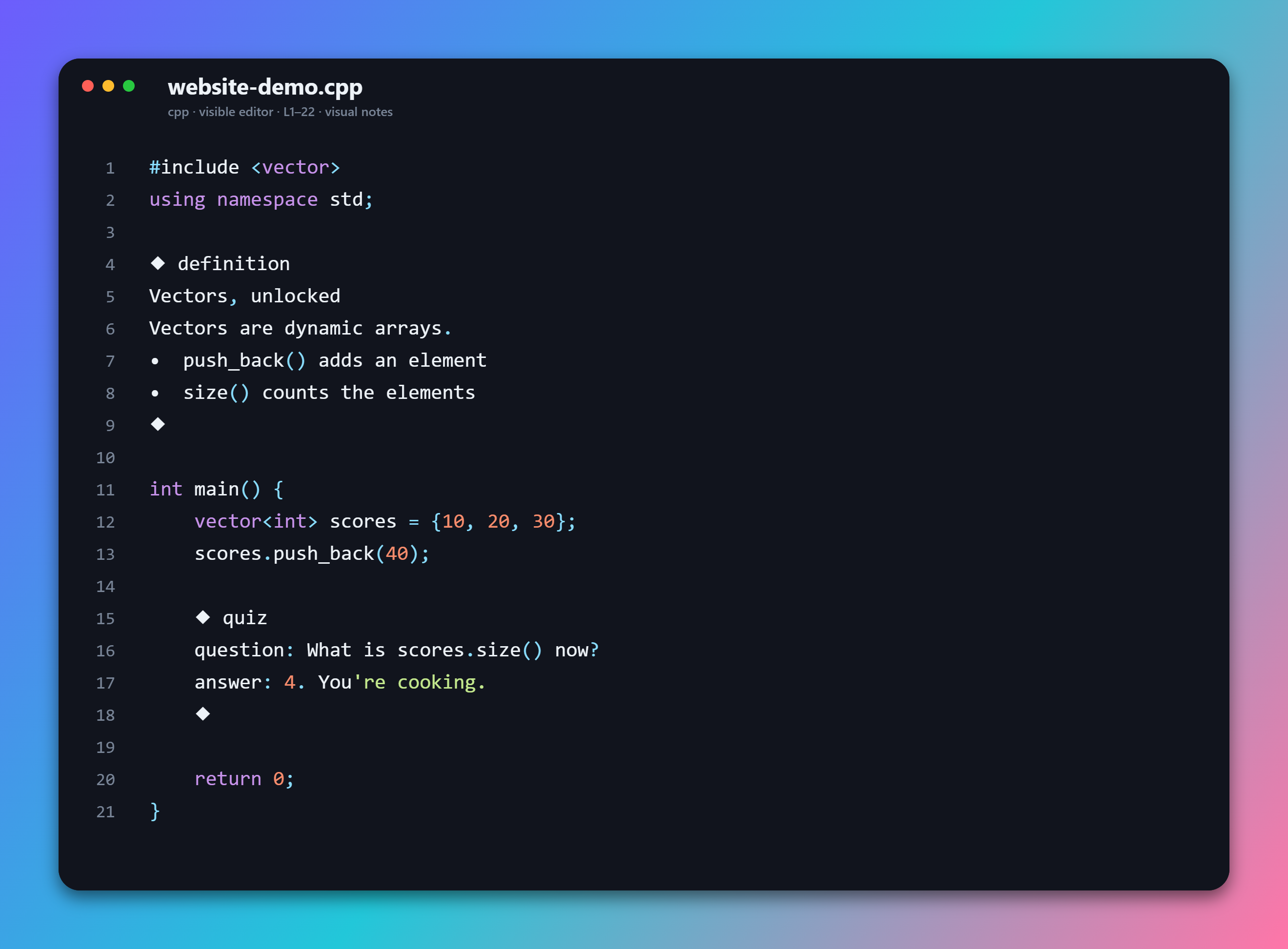
Capture selected code or the visible editor as a 2× PNG. Snap Studio keeps the full configured card size, uses horizontal scroll when needed, and includes your visual notes without raw annotation syntax.
straight out of Snap Studio 📸CHOOSE YOUR ENERGY
Aurora / actual exported PNG
In the extension, tune width, spacing, font size, line numbers, window dots, and branding. Your choices are remembered; the preview shows that configured size instead of shrinking it into a tiny card.
download this sample ↓see the actual controls ↗06 / KEEP YOUR HANDS ON THE KEYBOARD
Click a shortcut to copy it. Faster typing rules: -- then Space expands to a note, # then Space expands to a heading. Prefer clicks? Note, Snap, and the .cnote menu live in the editor toolbar.
“Explain Selected Code” inserts a note template for you to write. It does not generate an AI explanation. Run Current File is still available from the Command Palette and needs the relevant runtime or compiler installed.
07 / SPEAKS YOUR LANGUAGE
.cnote uses your language’s legal comment syntax. No new file format, no compiler plot twist.
JSON is sitting this one out. Plain JSON doesn’t allow comments. Use JSONC for annotations.
08 / YOUR EDITOR, YOUR RULES
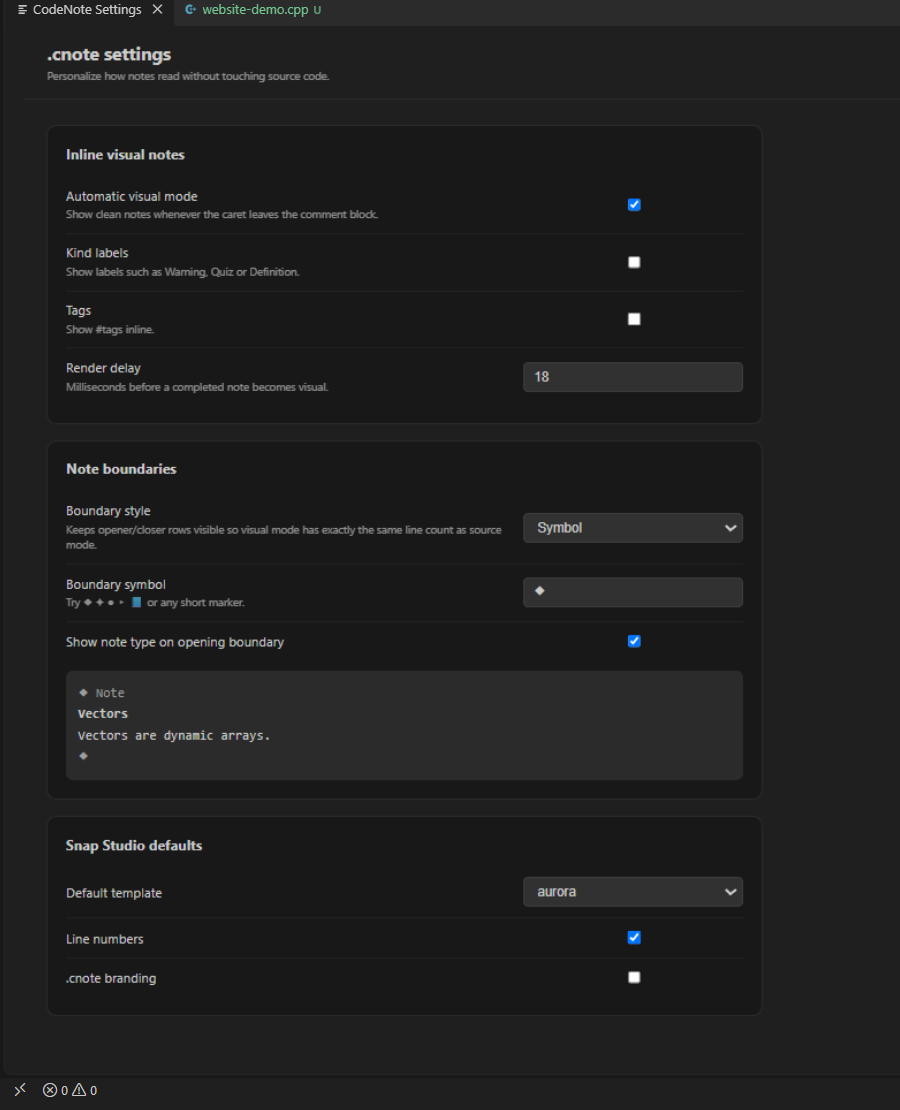
Open the gear in the editor toolbar or run CodeNote: Settings.
Saved in your VS Code user settings.

09 / RIGHT TOOL, RIGHT NOTES
Keep your architecture docs and long-form writing where they belong. .cnote is for the explanation you need right here.
| The thing you need | Comments | README | External notes¹ | Screenshots | .cnote ✦ |
|---|---|---|---|---|---|
| Next to the exact source line | Yes | Separate file | Separate app | Captured only | Yes |
| Notes inside valid source code | Yes | — | — | — | Yes |
| Rich reading view | Plain text | Markdown | Varies | Fixed image | Yes |
| Quiz + review workflow | Manual | Manual | Varies | No | Built in |
| Dedicated study view | No | Document view | Varies | No | Built in |
| PDF export | Via other tools | Via other tools | Varies | Via other tools | Built in |
| Styled code snapshots | Via other tools | Via other tools | Varies | Yes | Snap Studio |
| Search across project notes | Text search | Text search | Varies | Needs OCR | Workspace index |
| Readable Git diffs | Yes | Yes | Varies / export | Image diff | Yes |
| Works offline | Yes | Yes | Varies | Local images | Local features |
¹ External note apps differ by product and plan. This compares formats and workflows, not every app’s feature set.
UNDER THE HOOD / NO SORCERY
Use -- + Space for a note or # + Space for a heading. You can still write full legal comment blocks manually.
The shortcut becomes // @note text or // @section #Heading, then the parser reads the note type and content.
Editor decorations show the visual note. Git, IntelliSense, debuggers, and compilers still see source comments.
10 / YOU’RE ONE DOWNLOAD AWAY
VS Code 1.90 or newer. No account.
No subscription. Just a VSIX.
Manual VSIX install · version 6.7.0
Download codenote-6.7.0.vsix.
Click … → Install from VSIX… and choose the file.
Open a supported source file. Type -- then Space for a note, # then Space for a heading, or use Ctrl + Shift + F6.
11 / FAIR QUESTIONS
yeah, we’ve got you.
Your file stays .cpp, .py, .java, .js, .ts, .go, .rs, and so on. Notes are legal comments. The visual rendering is an editor decoration; it doesn’t rewrite the file.
No. Your compiler sees normal source comments. The reading presentation only exists in VS Code.
V6 keeps the same physical line count in raw and visual states. Type -- then Space for a note or # then Space for a heading. Click back into a note to edit the original comment.
The local editor features need no account or cloud service. .cnote parses and displays notes you write. “Explain Selected Code” inserts a template — it does not call an AI model.
Yes. Keep complexity notes, definitions, examples, quizzes, and checkpoints beside the implementation. Notebook includes review grades and jump-to-source navigation.
Export the current file or workspace notes as Markdown. Notebook also supports PDF export. Snap Studio saves code and visual notes as a PNG; wide previews keep their real size and scroll horizontally.
Notes support headings, emphasis, inline code, lists, checkboxes, blockquotes, and question/answer fields. Plain JSON has no legal comments and is unsupported. Use JSONC.
It’s free and MIT licensed. Use .cnote for notes tied directly to source code. Keep long-form documentation and architecture writing in your existing tools.
OPEN SOURCE / OPEN INVITE
Read the code. Report a bug. Add a language adapter.
This little corner of the internet is yours to improve.
OPTIONAL SIDE QUEST / SUPPORT THE BUILD
If .cnote saves you a little brain power, you can help fuel the next update. Or the very ambitious console fund. 🎮
no paywall. no guilt trip. just good vibes.
a GitHub star is love, too ↗